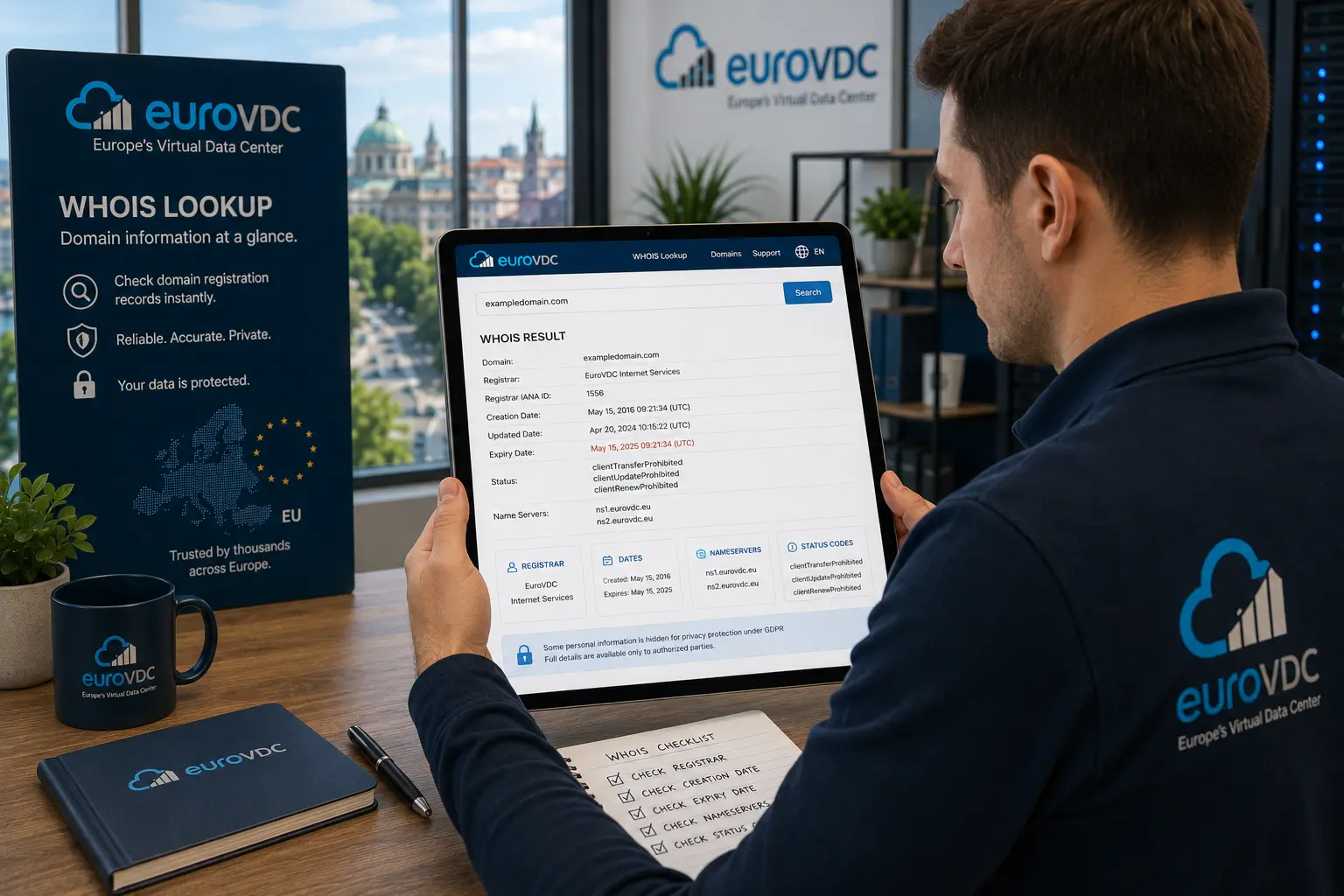
WHOIS is the public directory of domain registration data. Modern systems often serve the same facts over RDAP, but operators still say “check Whois.” The record tells you who runs the domain at the registrar level, when it was created and when it expires, which nameservers answer, and which status flags apply.
This guide explains the fields that matter, how to read them without panic, and which myths to ignore. Run a live check with EuroVDC Whois lookup; if you need an available name next, use domain search.
WHOIS vs RDAP in practice
Classic WHOIS is a text protocol. RDAP is a structured JSON API with clearer field names and better privacy handling. Many registrars and registries expose both; the facts you care about—registrar, dates, nameservers, status—are the same. EuroVDC’s lookup surface presents those operational fields so you can verify ownership, transfer readiness or expiry risk in one pass.
Country TLDs (.tr, .bg, .eu and others) may hide or shape contact data under local policy. Always treat the registry and registrar of record as authoritative for that extension.
Fields that actually matter
- Registrar: The company that manages the registration, billing and locks. Not the same as your web host unless you bought both together.
- Creation date: When the name first entered the registry. Useful for age checks; not a ranking guarantee.
- Expiration / paid-until: When the current registration term ends. Miss this and you enter grace or redemption windows.
- Updated date: Last material change to the registration object—contacts, nameservers or status.
- Nameservers (NS): Where public DNS for the domain is hosted. Changing NS redirects resolution; transferring the registrar does not by itself.
- Status: Machine-readable flags such as clientTransferProhibited, clientDeleteProhibited or serverHold. These control transfers, deletes and whether the name resolves.
Registrant and admin contacts may be redacted under GDPR-style rules. Redaction does not mean the domain is free or abandoned—only that personal data is withheld from the public view.
How to read a record step by step
- Confirm the exact domain string (including the TLD).
- Note the registrar name; that is who you contact for Auth codes and unlocks.
- Compare creation and expiry; renew early if expiry is close.
- List nameservers and match them to your hosting or DNS panel.
- Scan status for transfer locks, holds or pending delete states.
- If contacts are redacted, use the registrar’s abuse or contact form—not a guesswork email.
For purchase decisions, pair Whois with domain search so you know whether a string is free before you negotiate or brand around it.
Common status signals
| Status | What it usually means |
|---|---|
| clientTransferProhibited | Registrar lock; unlock before transfer. |
| clientUpdateProhibited | Updates blocked until unlocked. |
| serverHold / clientHold | Resolution often suspended; investigate billing or policy. |
| pendingDelete | Domain is leaving the registry; recovery may be limited. |
| ok | No special client/server prohibitions shown. |
Status strings vary slightly by registry. When in doubt, unlock and verify again after a few minutes rather than forcing a transfer order.
Myths that waste time
- “Hidden Whois means the domain is for sale.” Privacy is normal in the EU and elsewhere.
- “Old creation date equals strong SEO.” Age alone does not rank a site; content, links and technical health do.
- “Whois email is always reachable.” Redacted or outdated contacts are common—use registrar channels.
- “Changing Whois contacts moves the website.” Contacts are registration metadata; DNS and hosting move separately.
EuroVDC angle
EuroVDC is an EU registrar based in Sofia. Use Whois lookup before transfers, renewals or brand checks, then register or move names under the same account as hosting and email. That keeps registrar, DNS and billing in one operational place.
Frequently asked questions
Is WHOIS still public after GDPR?
Operational data (registrar, dates, nameservers, status) usually remains visible. Personal contact details are often redacted in the EU; registries still hold full data for lawful requests.
What is the difference between WHOIS and RDAP?
They expose the same registration facts; RDAP is structured and better suited to privacy and automation. Many tools still label the check as Whois.
Can I see who owns a .eu or .bg domain?
You typically see registrar and technical fields. Natural-person contacts may be hidden under local policy—verify via the registrar if you need a legitimate contact path.
Does Whois show my nameservers after a DNS change?
Yes, once the registrar publishes the new NS set. Propagation to resolvers is separate; Whois reflects registration data, not every cached DNS answer.
Why does status say clientTransferProhibited?
That is the normal transfer lock. Unlock at your current registrar before starting a move; leave it locked the rest of the time as hijack protection.
How do I check a domain with EuroVDC?
Open Whois lookup, enter the full domain and review registrar, dates, NS and status. For availability, switch to domain search.
Check a domain now
Verify registration data: Whois lookup. Looking for a free name? Use domain search.