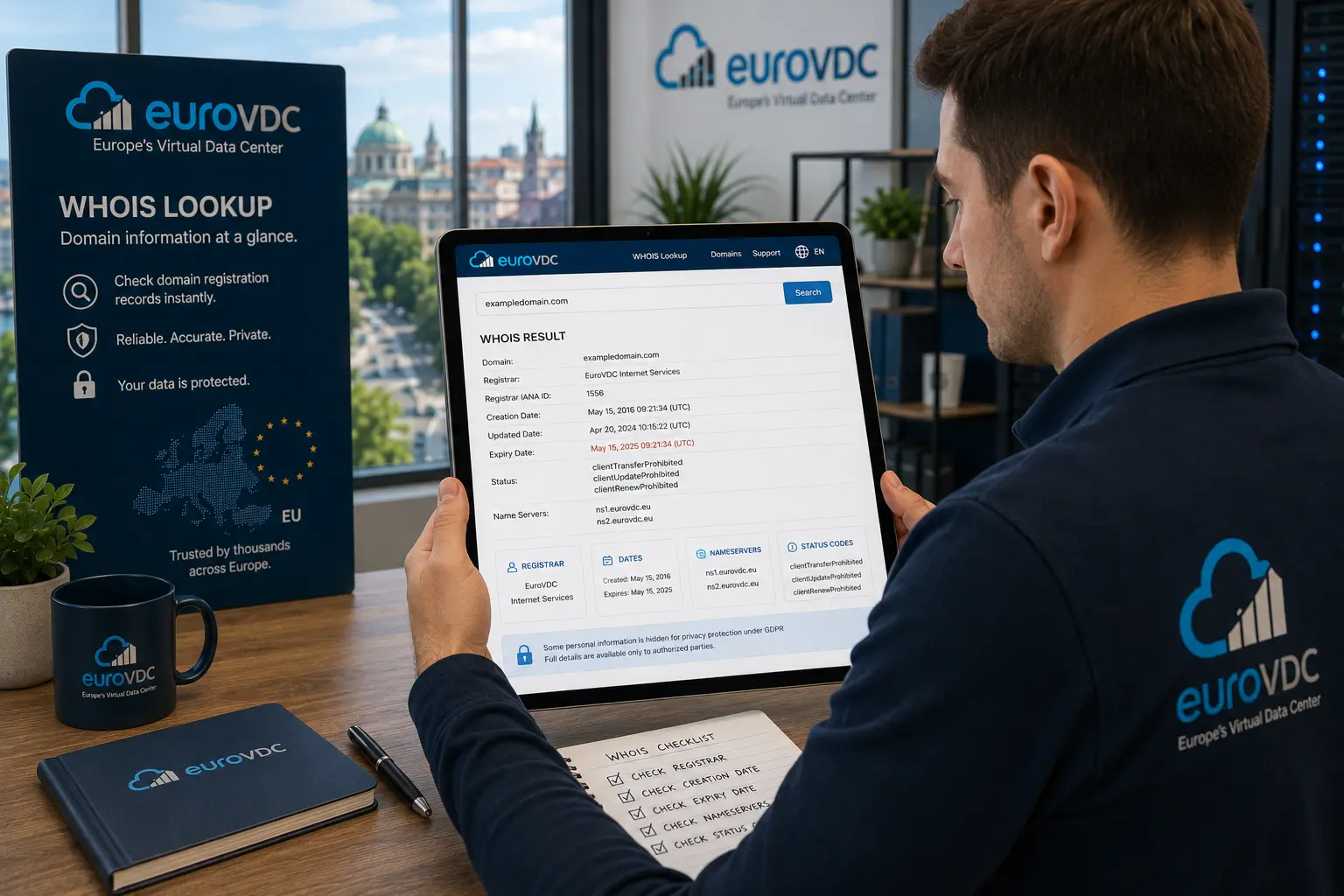


A WHOIS lookup is an operational check: you type a domain, read the live record, and decide what to do next—renew, unlock, contact the registrar, or walk away. This guide is the how-to for running that query on EuroVDC. Field-by-field meaning (registrar, dates, status myths) lives in the separate “what is WHOIS” article; here we stay on the lookup procedure.
Run checks on Whois lookup. If the name is free and you want it, continue on domain search.
Before you query
- Use the exact domain string, including the correct TLD (.com vs .co, .bg vs .com.bg).
- Have a reason: expiry risk, transfer readiness, nameserver audit, or ownership check.
- Expect contact redaction on many TLDs under privacy rules—redaction is not “abandoned.”
Do not paste Auth/EPP codes into WHOIS tools. WHOIS shows public registration facts; secrets stay in your registrar panel.
Step-by-step on EuroVDC Whois
- Open Whois lookup.
- Enter the full domain and submit.
- Confirm the tool returned the domain you typed (no typo).
- Note registrar—that is who controls unlocks and Auth codes.
- Read creation and expiry / paid-until; renew early if expiry is close.
- List nameservers and match them to your hosting or DNS panel.
- Scan status for clientTransferProhibited, holds or pendingDelete.
- If contacts are redacted, use the registrar’s abuse/contact channel—not a guessed email.
Save a screenshot or copy of the result when you are about to transfer, change NS or dispute ownership. Snapshots beat memory in a support ticket.
What to do with each outcome
- Available / not registered: stop looking at WHOIS and register via domain search.
- Registered, lock on: normal for day-to-day. Unlock only for a planned domain transfer.
- Near expiry: renew at the current registrar before campaigns or moves.
- Wrong NS: fix DNS at the registrar or hosting panel; WHOIS itself does not change records.
- Hold / pending delete: pause marketing and fix billing or policy with the registrar of record.
Common lookup mistakes
Querying the wrong TLD, reading marketing “domain age” widgets instead of creation date, treating redacted contacts as free names, and unlocking because a cold email asked you to “verify.” WHOIS is evidence for your next panel action—not a chat prompt to obey.
Country TLDs (.tr, .bg, .eu) may shape or hide fields under local policy. Treat the registry/registrar of record as authoritative for that extension.
How-to vs field explainer
This page teaches you to run and act on a EuroVDC Whois query. The companion explainer covers what each field means in depth. Use this runbook on transfer day or before buying; open the field guide when a status string looks unfamiliar.
Frequently asked questions
Is WHOIS the same as RDAP?
Same facts, different transport. Operators still say “Whois”; EuroVDC lookup presents the operational fields you need.
Why are contacts hidden?
Privacy and GDPR-style rules. Redaction does not mean the domain is free or that transfer rules disappeared.
Can WHOIS tell me if a domain will rank?
No. Creation date is not an SEO guarantee. Use WHOIS for ownership, expiry and DNS/status checks.
How do I check transfer readiness?
Confirm registrar, expiry, absence of holds, and whether clientTransferProhibited is still set. Then unlock and request Auth at that registrar before starting domain transfer.
Does a lookup change anything on the domain?
No. Querying is read-only. Changes happen in the registrar or DNS panel after you decide.
How do I start on EuroVDC?
Run Whois lookup on the name, then domain search to register or domain transfer to move it.